If you recently underwent a blood test, urine test, X-ray, CT scan, MRI, or any other diagnostic investigation at All India Institute of Medical Sciences (AIIMS), you do not need to revisit the hospital to collect your report.
In 2026, most AIIMS hospitals integrated with the Government of India’s Online Registration System (ORS) allow patients to download lab reports online within minutes.
Once the laboratory finalizes your results, they are uploaded to the official ORS portal and can be accessed securely using your registered mobile number and UHID.
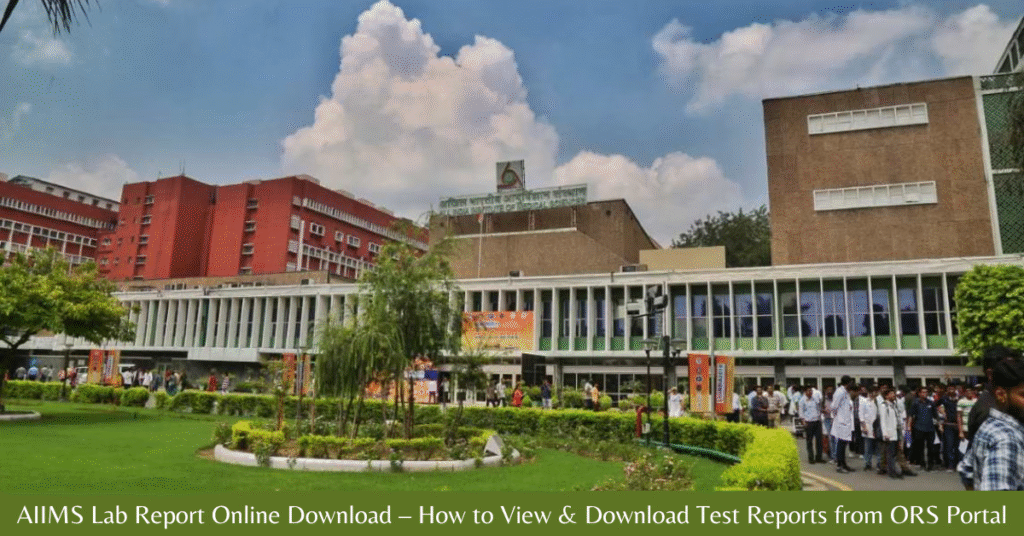
This system is designed to:
- Reduce unnecessary hospital visits
- Minimize waiting time
- Provide faster access to diagnostic results
- Improve patient convenience and digital record keeping
What Is the AIIMS Lab Report Online Facility?
The AIIMS lab report online download facility is part of the Government of India’s ORS Patient Portal, created to simplify digital healthcare services across public hospitals.
Through the ORS portal, patients can:
- Book AIIMS OPD appointments online
- Check doctor availability
- View appointment confirmation status
- Download AIIMS lab test reports
- Access diagnostic and investigation results digitally
Once your test result is approved by the respective department, it becomes available in your online dashboard for secure download in PDF format.
This digital initiative supports transparent, accessible, and patient-friendly healthcare services.
Who Can Download AIIMS Lab Reports Online?
You can download your AIIMS test report online if:
- You are registered as a patient at any AIIMS hospital
- Your mobile number was provided during registration
- You have a valid UHID (Unique Health Identification) number
- Your lab report has been finalized by the laboratory department
If the test is still under processing or review, the report will not appear immediately on the ORS portal.
Patients are advised to wait until the expected processing time is completed before checking online.
Information Required Before Downloading
Keep the following details ready:
- Registered mobile number (for OTP verification)
- UHID number
- Appointment number (if available)
- Name of AIIMS hospital branch
The OTP will only be sent to the mobile number linked during hospital registration.
AIIMS Lab Report Online 2026 – Quick Overview
The AIIMS Lab Report Online Download facility is available through the official Government of India ORS portal. Below is a clear summary of how the system works and who can access it.
| Detail | Information |
|---|---|
| Organization | All India Institute of Medical Sciences (AIIMS) |
| Managed By | Government of India |
| Portal Name | Online Registration System (ORS) |
| Official Website | https://ors.gov.in |
| Login Method | Registered Mobile Number + OTP Verification |
| Eligible Users | Registered AIIMS Patients with UHID |
| Report Download Charges | Completely Free |
Most AIIMS hospitals connected to the ORS portal allow patients to check and download lab reports online once they are finalized by the laboratory department.
This digital facility ensures secure access to medical reports, reduces hospital visits, and enables faster follow-up consultation.
How to Download AIIMS Lab Report Online 2026 – Step-by-Step Process
Patients who have undergone diagnostic tests at All India Institute of Medical Sciences (AIIMS) can download their finalized reports through the official Online Registration System (ORS) portal.
Follow the steps below to access your AIIMS lab report online safely and quickly.
Step 1: Visit the Official ORS Website
Open your browser and go to:
https://ors.gov.in
Always use the official government portal to avoid third-party websites.
Step 2: Click on “Lab Reports”
On the homepage, select the Lab Reports option available under patient services.
Step 3: Enter Patient Details
Provide the following information:
- UHID (Unique Health Identification) number
- Registered mobile number used during AIIMS registration
Make sure the details match hospital records.
Step 4: Enter Captcha and Request OTP
Complete the captcha verification and request an OTP.
An OTP (One Time Password) will be sent to your registered mobile number.
Step 5: Verify OTP
Enter the OTP correctly to access your patient dashboard.
Step 6: Select Hospital and View Report
Choose the AIIMS branch where your test was conducted.
Select the available test report from the list.
Step 7: Download the Report
The AIIMS test report will open in PDF format.
You can download, save, or print it for doctor consultation or future reference.
⏱ The entire process usually takes less than five minutes once the report is uploaded.
Types of AIIMS Lab Reports Available Online
Most routine and diagnostic investigation reports are available for online download through the ORS portal.
Commonly available AIIMS test reports include:
- Blood test reports (CBC, LFT, KFT, Blood Sugar)
- Urine examination reports
- Thyroid function tests
- Lipid profile reports
- X-ray reports
- CT scan reports
- MRI reports
- Ultrasound reports
- Selected biopsy and pathology reports
Availability depends on the department and hospital system integration.
Some highly specialized or sensitive investigations may still require physical collection from the concerned department.
Important Note
If your AIIMS lab report is not showing online, it may still be under processing or review. Routine blood tests are typically uploaded within 24–48 hours, while advanced imaging and pathology tests may take longer.
How Long Does It Take for AIIMS Lab Reports to Be Uploaded?
The upload time for an AIIMS lab report online depends on the type of test conducted and the laboratory processing schedule at the respective AIIMS branch.
Below is the general timeline for report availability on the ORS portal:
| Test Type | Expected Upload Time |
|---|---|
| Routine Blood Tests (CBC, LFT, KFT, Sugar) | 24–48 hours |
| X-ray | Same day or within 24 hours |
| CT Scan | 1–3 days |
| MRI | 2–4 days |
| Biopsy / Histopathology | 5–10 days |
In most cases, routine investigations are uploaded within two days. Advanced imaging and pathology reports may take longer due to medical review and specialist verification.
If your AIIMS test report is not visible online within the expected timeframe, it may still be under laboratory processing or final approval.
AIIMS Lab Report Not Showing Online – What to Do?
If your AIIMS lab report is not appearing on ors.gov.in, follow these steps before contacting the hospital:
- Wait at least 24–48 hours after the test (especially for blood investigations)
- Confirm that you entered the correct UHID and registered mobile number
- Check mobile network connectivity for OTP delivery issues
- Try accessing the ORS portal during non-peak hours
- Clear browser cache or switch to another browser/device
- Contact the AIIMS laboratory department or hospital helpdesk if the delay continues
Delays can sometimes occur due to:
- High patient load
- Public holidays
- Technical maintenance on the ORS portal
- Specialist review of complex reports
In most situations, reports become available once the department completes verification and uploads the finalized result.
Quick Tip
If your report is urgent and not yet visible online, you may contact the concerned department directly or visit the hospital for clarification.
Can Someone Else Download My AIIMS Lab Report?
Access to your AIIMS lab report online is protected through OTP-based authentication on the official Online Registration System (ORS) portal.
Only the person who has access to the registered mobile number linked with the UHID can log in and download the report.
This security system ensures:
- Patient privacy protection
- Secure access to medical records
- Confidential handling of sensitive health information
- Prevention of unauthorized downloads
Patients are strongly advised not to share their OTP with anyone to avoid misuse of personal medical data.
Is AIIMS Lab Report Download Free?
Yes. Downloading your AIIMS test report from ors.gov.in is completely free.
There are:
- No online charges for viewing reports
- No fees for downloading PDF copies
- No subscription or service costs
However, standard laboratory test charges (if applicable) are paid at the hospital during registration. The online report access facility itself is free of cost.
Can You Download AIIMS Lab Reports on Mobile?
Yes. The ORS portal is fully mobile-friendly and works smoothly on smartphones.
Patients can:
- Check AIIMS lab reports online using mobile browsers
- Download PDF reports directly to their phone
- Share reports with doctors via WhatsApp or email
- Store digital copies for future consultations
This is especially beneficial for elderly patients, outstation visitors, and those requiring regular follow-ups.
Benefits of AIIMS Online Lab Report System
The AIIMS lab report online download facility offers multiple advantages for patients across India:
- Saves time and travel expenses
- Reduces unnecessary hospital visits
- Provides faster access to diagnostic results
- Simplifies sharing reports with specialists
- Supports continuous treatment planning
- Enables easy second opinions
- Helps maintain organized digital medical records
For patients undergoing long-term treatment, digital access to lab reports ensures smoother follow-ups and better medical coordination.
Why This Digital Facility Matters
The integration of AIIMS hospitals with the ORS portal reflects the Government of India’s effort to modernize public healthcare services. Secure online access to lab reports improves transparency, efficiency, and patient convenience.
Common Problems While Downloading AIIMS Lab Report Online (With Quick Solutions)
While accessing your AIIMS lab report online through the ORS portal, you may occasionally face minor technical issues. Most problems are temporary and can be resolved easily by checking your details carefully.
Below is a quick troubleshooting guide:
| Problem | Quick Solution |
|---|---|
| OTP not received | Check mobile signal, ensure correct number is entered, wait a few minutes and request OTP again |
| Wrong mobile number registered | Visit the AIIMS registration counter to update your mobile number |
| AIIMS report not available online | Wait for laboratory processing and final approval |
| ORS website not loading | Try again later, refresh the page, or switch to another browser/device |
| Incorrect UHID entered | Verify UHID from OPD slip or hospital receipt |
Important Tips for Smooth Access
- Always enter the correct UHID and registered mobile number
- Ensure your mobile network is active for OTP delivery
- Avoid using third-party or unofficial websites
- Access the official portal only at https://ors.gov.in
In most cases, issues with AIIMS test report download are related to incorrect details or report processing time. Once the laboratory finalizes and uploads the report, it becomes available for download immediately.
When to Contact AIIMS Helpdesk
If your lab report is still not visible after the expected upload time:
- Contact the concerned AIIMS laboratory department
- Visit the hospital helpdesk for clarification
- Confirm whether the report has been finalized
Most technical delays are resolved automatically once the system updates.
AIIMS Lab Report Online Download 2026 – Important FAQs
1. How to download AIIMS lab report online in 2026?
Visit ors.gov.in, select “Lab Reports,” enter your UHID and registered mobile number, verify with OTP, and download the report in PDF format.
2. Can I check AIIMS blood test report without visiting the hospital?
Yes, AIIMS test results can be viewed and downloaded online through the ORS portal once the report is finalized.
3. What details are required to access AIIMS lab reports online?
You need your UHID number and the mobile number registered during AIIMS OPD registration for OTP verification.
4. How many days does AIIMS take to upload lab reports?
Routine tests are usually available within 24–48 hours, while advanced tests like MRI or biopsy may take several days.
5. Is AIIMS Delhi lab report available on ors.gov.in?
Yes, AIIMS Delhi and most AIIMS branches linked with ORS allow patients to download reports online.
6. Can I download AIIMS lab report on my mobile phone?
Yes, the ORS portal is mobile-friendly and allows direct PDF download on smartphones.
7. Why is my AIIMS lab report not showing online?
The report may still be under processing, or there may be a mismatch in registered mobile number or UHID details.
8. Is AIIMS online lab report download free of cost?
Yes, downloading lab reports from the official ORS portal is completely free.
9. Can someone else access my AIIMS lab report?
No, only the person with the registered mobile number linked to the UHID can access the report through OTP verification.
10. Is it safe to download AIIMS lab reports from ors.gov.in?
Yes, the ORS portal is an official Government of India platform secured with OTP-based login for patient data protection.
Final Words
The AIIMS Lab Report Online Download 2026 facility through ors.gov.in has made healthcare access simpler and more efficient. Instead of standing in long queues or making repeated hospital visits, you can now check your AIIMS test results from the comfort of your home.
Always use the official government portal, keep your registered mobile number active, and follow the correct steps to download your reports securely.
Digital healthcare services like this are helping patients take better control of their treatment while saving valuable time.
Disclaimer
This article is published on aiimsopdappointment.com for informational purposes only. We are an independent informational website and are not affiliated with AIIMS, ORS, or any Government of India authority.
For official services, report access, and hospital-related updates, always visit the official portal at https://ors.gov.in or contact the respective AIIMS hospital directly.