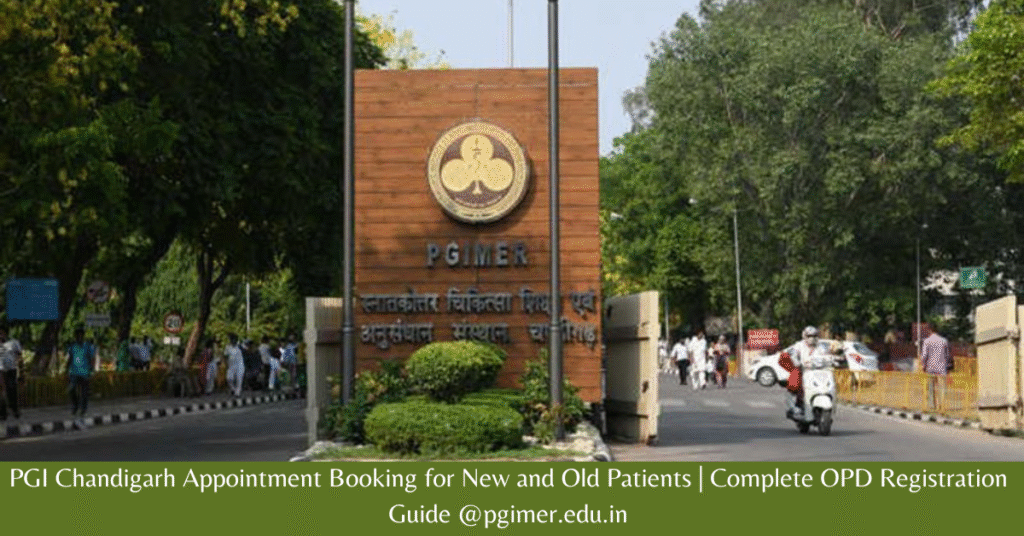
Planning a visit to PGI Chandigarh can feel confusing, especially if you’re going for the first time. With thousands of patients arriving daily, even a small mistake in the appointment process can lead to long waiting times or missed consultations.
The Postgraduate Institute of Medical Education and Research (PGIMER), Chandigarh is one of India’s most trusted government hospitals. Patients from all over the country come here for advanced treatment, expert doctors, and affordable care.
To make things easier, PGI Chandigarh offers an online OPD appointment and pre-registration system. But many people still don’t fully understand how it actually works.
This guide explains everything in simple language — how to book PGI Chandigarh appointment online, steps for new and old patients, OPD timings, documents required, lab report download process, and important tips most people miss.
PGI Chandigarh Appointment 2026 – Key Highlights
If you’re short on time, here’s a quick overview of how the system works:
| Feature | Details |
|---|---|
| Hospital Name | PGIMER Chandigarh |
| Location | Sector 12, Chandigarh |
| Appointment Type | Online Pre-Registration + OPD Card Collection |
| Who Can Apply | New & Old Patients |
| Booking Mode | Online + Walk-in |
| Advance Booking | Up to 7 Days |
| OPD Timings | Mon–Fri: 8:00 AM – 12:00 PMSaturday: 8:00 AM – 10:30 AM |
| Official Website | pgimer.edu.in |
| Helpline | 0172-2756565 |
PGI does not offer direct doctor slot booking like private hospitals. Instead, it provides pre-registration, which helps reduce waiting time at the hospital.
What is PGI Chandigarh Online Appointment System?
The PGI Chandigarh appointment system is mainly designed to simplify OPD registration.
When you book online:
- You register your details in advance
- You select the department (not a specific doctor)
- You get a confirmation via SMS/email
- On the visit day, you collect your OPD card from the hospital
This system saves time but does not guarantee a fixed doctor or exact time slot.
PGI Chandigarh OPD Timings
Reaching at the right time is the most important part of your visit.
| Day | OPD Registration Timing |
|---|---|
| Monday to Friday | 8:00 AM – 12:00 PM |
| Saturday | 8:00 AM – 10:30 AM |
| Sunday | Closed (Emergency Only) |
Tip: Try to reach before 8 AM. Late arrival may lead to long queues or missed registration.
PGI Chandigarh Appointment Booking Process (Step-by-Step)
Booking an OPD appointment online is simple if you follow each step carefully.
Step 1: Visit Official Website
Open pgimer.edu.in in your browser.
Step 2: Click on “Patient Login”
You will find this option on the homepage.
Step 3: Select “Online Registration”
This will open the OPD booking form: https://pgimer.edu.in/PGIMER_PORTAL/PGIMERPORTAL/home.jsp.
Step 4: Choose Patient Type
- Select “No” if you are a new patient
- Select “Yes” if you already have a CR Number
Step 5: Fill Patient Details
Enter accurate information:
- Full name
- Mobile number
- Address
- Email ID
- Department you want to visit
Step 6: Select Department and Date
Choose your preferred department and available date.
Step 7: Submit the Form
After submission, you will receive a confirmation message.
Step 8: Visit PGI Chandigarh
On your appointment day:
- Go to the online registration counter
- Show your SMS/email confirmation
- Collect your OPD card
Only after this step will your consultation be complete.
PGI Chandigarh Appointment for Old Patients
If you have already visited PGI before, the process is faster.
Steps for Old Patients:
- Enter your CR (Central Registration) Number
- Verify with OTP
- Select department and date
- Confirm booking
Always carry your previous prescriptions and reports for better consultation.
Documents Required for PGI OPD Registration
Before visiting the hospital, make sure you have these documents ready:
| Document | Why It’s Needed |
|---|---|
| Aadhaar Card / ID Proof | Identity verification |
| ABHA Health Card | Optional but useful |
| Mobile Number | OTP and updates |
| Old Reports | For follow-up cases |
| Passport Size Photo | Sometimes required |
Keeping documents ready avoids delays at the registration counter.
PGI Chandigarh Offline Appointment (Walk-in Process)
If online booking is not available or slots are full, you can still register offline.
Walk-in Steps:
- Visit New OPD building early morning
- Go to registration counter
- Provide patient details
- Get OPD card
- Visit department
Tip: Reach before 7 AM for faster registration.
PGI Chandigarh Departments Available
PGI offers treatment across a wide range of departments:
- General Medicine
- Cardiology
- Neurology
- Orthopaedics
- Dermatology
- ENT
- Paediatrics
- Oncology
- Gastroenterology
- Nephrology
Some departments have limited online slots, so early booking is recommended.
Benefits of PGI Online Appointment System
Many patients now prefer online booking because it offers:
- No long registration queues
- Faster OPD entry
- Easy access from mobile or laptop
- Ability to plan visits in advance
- Less confusion at hospital counters
This system is especially helpful for patients coming from other states.
Important Things Most Patients Don’t Know
These points can save you a lot of time and frustration:
- Online booking is not final appointment, only pre-registration
- You must collect OPD card at hospital
- You cannot select a specific doctor
- Appointment can be booked only up to 7 days in advance
- Some departments may not be available online
- Mondays are usually very crowded
PGI Chandigarh Lab Report Download Online (2026 Guide)
If you have already visited PGI for tests, you don’t need to return to the hospital to collect reports.
You can download your PGI Chandigarh lab report online in just a few minutes.
What You Need Before Downloading Report
| Requirement | Purpose |
|---|---|
| CR Number | Your patient ID |
| Registered Mobile Number | For OTP verification |
| Internet Device | Mobile or computer |
Step-by-Step PGI Lab Report Download Process
Follow these simple steps:
- Visit pgimer.edu.in
- Go to “Patient Services” section
- Click on “Lab Reports”
- Enter your CR Number
- Click on “Generate OTP”
- Enter OTP received on mobile
- View and download report in PDF
Most reports are available within 24 to 72 hours depending on the test.
Common Problems and Quick Solutions
Many users face small issues while booking or downloading reports.
| Problem | Solution |
|---|---|
| OTP not received | Check network or retry after few minutes |
| Website not loading | Try early morning or use desktop |
| Report not available | Wait 24–48 hours |
| Wrong mobile number | Update at hospital counter |
| CR number missing | Check old prescription slip |
PGI Chandigarh Contact Details
If you need help, you can contact PGI directly:
| Detail | Information |
|---|---|
| Address | Sector 12, Chandigarh – 160012 |
| Phone | 0172-2756565, 2756464 |
| pgimer-chd@nic.in | |
| Website | pgimer.edu.in |
Frequently Asked Questions (FAQs)
Can I book PGI Chandigarh appointment online?
Yes, you can do online pre-registration through the official website.
How many days in advance can I book PGI appointment?
You can book up to 7 days in advance.
Is online appointment confirmed?
No, you must collect OPD card at hospital.
Can new patients register online?
Yes, both new and old patients can register online.
What is CR Number in PGI?
It is your unique patient ID used for follow-up visits.
Can I choose doctor at PGI Chandigarh?
No, you can only select department.
Is PGI lab report download free?
Yes, downloading reports online is completely free.
Final Words
PGI Chandigarh is one of the best government hospitals in India, but the patient rush can make the process confusing if you are not prepared.
By using the online appointment system, reaching early, and carrying the right documents, you can avoid long queues and get your consultation done smoothly.
Whether you are a new patient or visiting for follow-up, understanding the PGI Chandigarh OPD registration process will save you time, effort, and unnecessary stress.
If you found this guide helpful, make sure to share it with others who are planning to visit PGI Chandigarh. It can truly make their hospital visit much easier.

Abhishek
Abhishek is a healthcare information writer who focuses on simplifying public hospital procedures in India. He researches AIIMS OPD registration systems, appointment processes, documentation requirements, and general hospital guidelines to create structured and easy-to-understand guides for patients.Through detailed explanations and practical preparation tips, he aims to reduce confusion around AIIMS OPD visits and help individuals navigate hospital procedures more confidently. His work is focused on clarity, transparency, and responsible presentation of publicly available healthcare information.
View author profile →